APPLE WATCH · PREMIUM
A glance at your wrist.
Record attack information and check an ongoing attack with the Apple Watch companion.
Meet the Watch app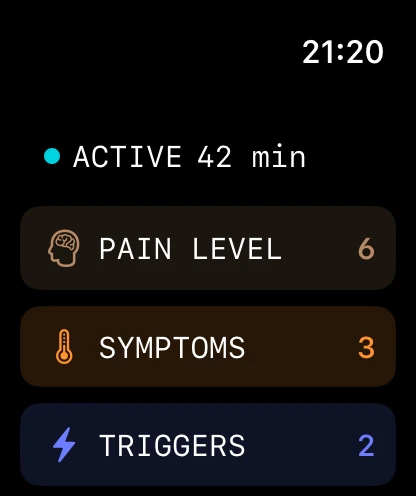
Remembering every detail is a lot to ask.
Record your attacks, see your history, and bring
a useful report to your next appointment.
Made for iPhone & Apple WatchFree download. In-app purchases.
Keep the details that matter.
Give each attack its place.
Make room for a useful conversation.
A migraine diary that helps you keep track
without keeping it all in your head.
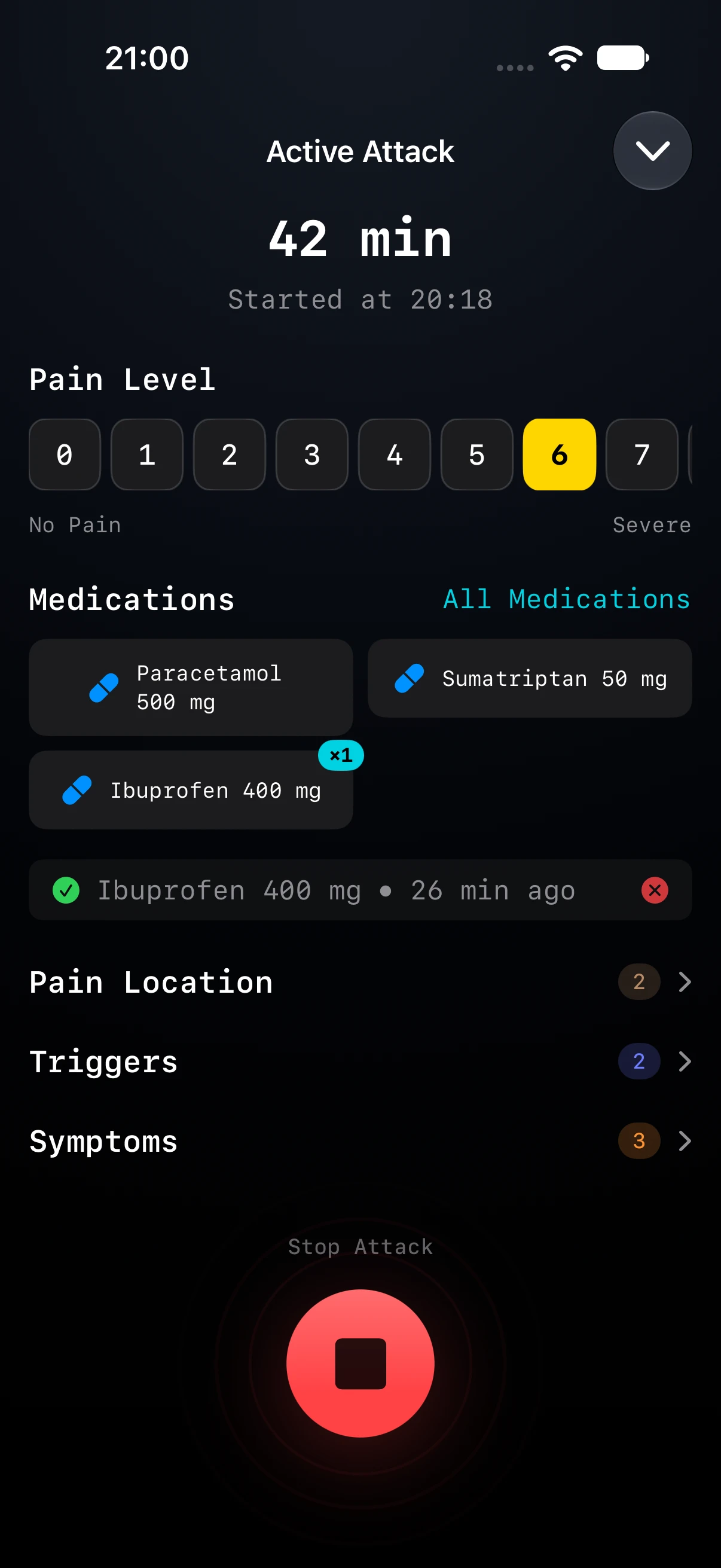
Time, pain, symptoms, medication. Keep the details together while they’re still fresh, or add an attack later.
Move through your calendar to revisit an attack, check what you recorded and fill in the details you remember.
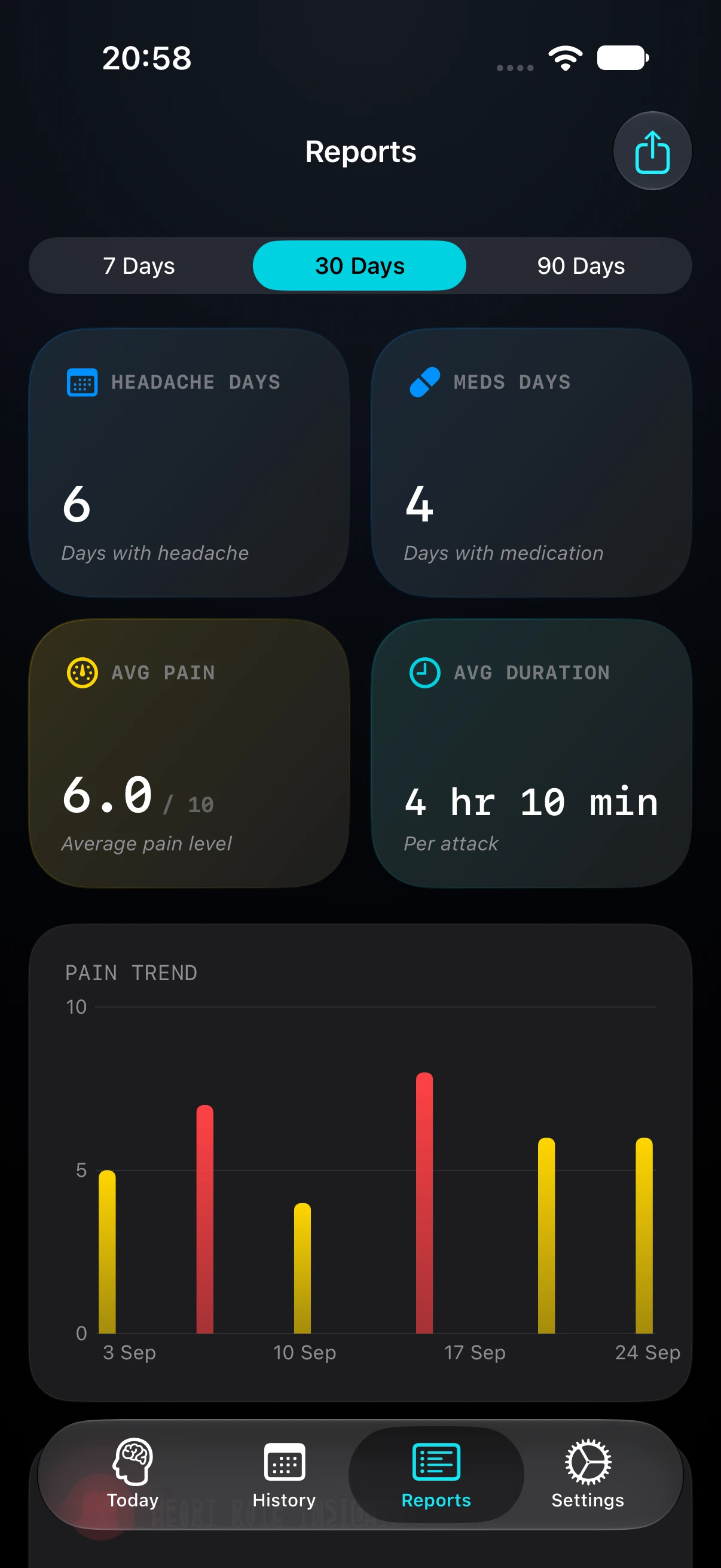
Review headache days, medication days and pain trends. Premium adds 30- and 90-day views and summaries of the triggers and symptoms you log.
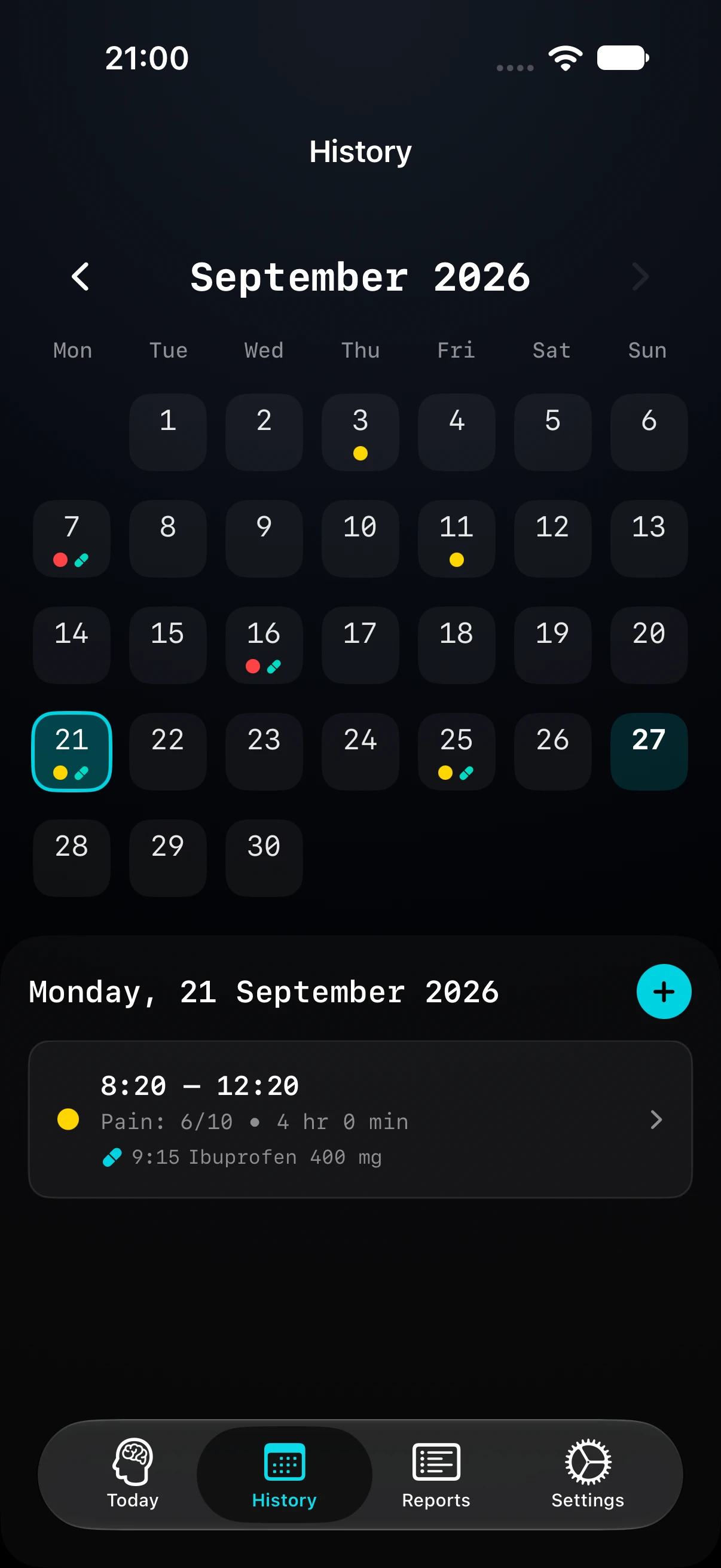
Screens shown with sample data. Some features require Premium.
“How often?” “How long?” “What did you take?”
Your diary gives you somewhere to start.
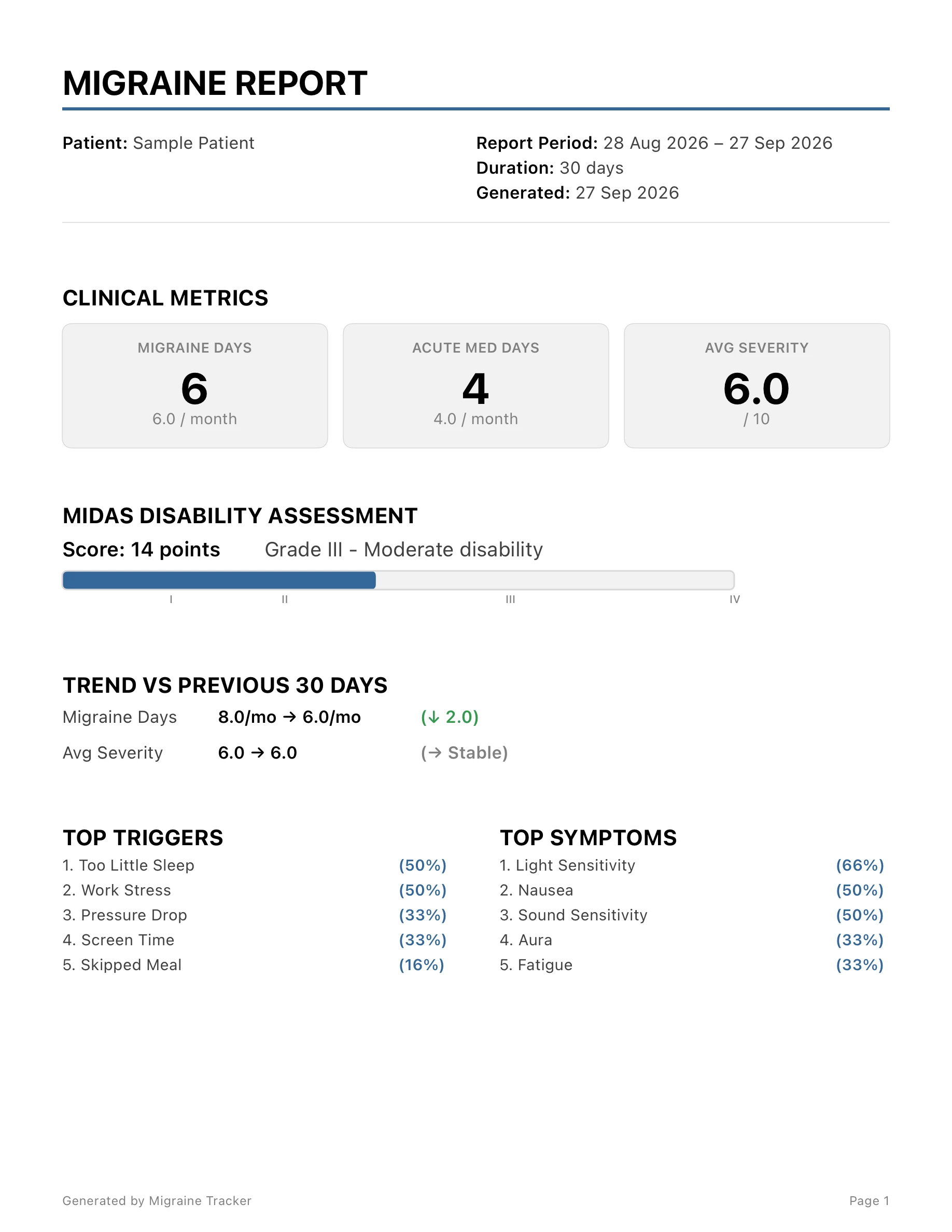
Create a PDF report with your recorded headache days, acute medication days, average pain and a calendar. Read it together with your clinician.
PDF EXPORT · PREMIUMA real app-generated PDF, with fictional sample data. 2 pages · 65 KB.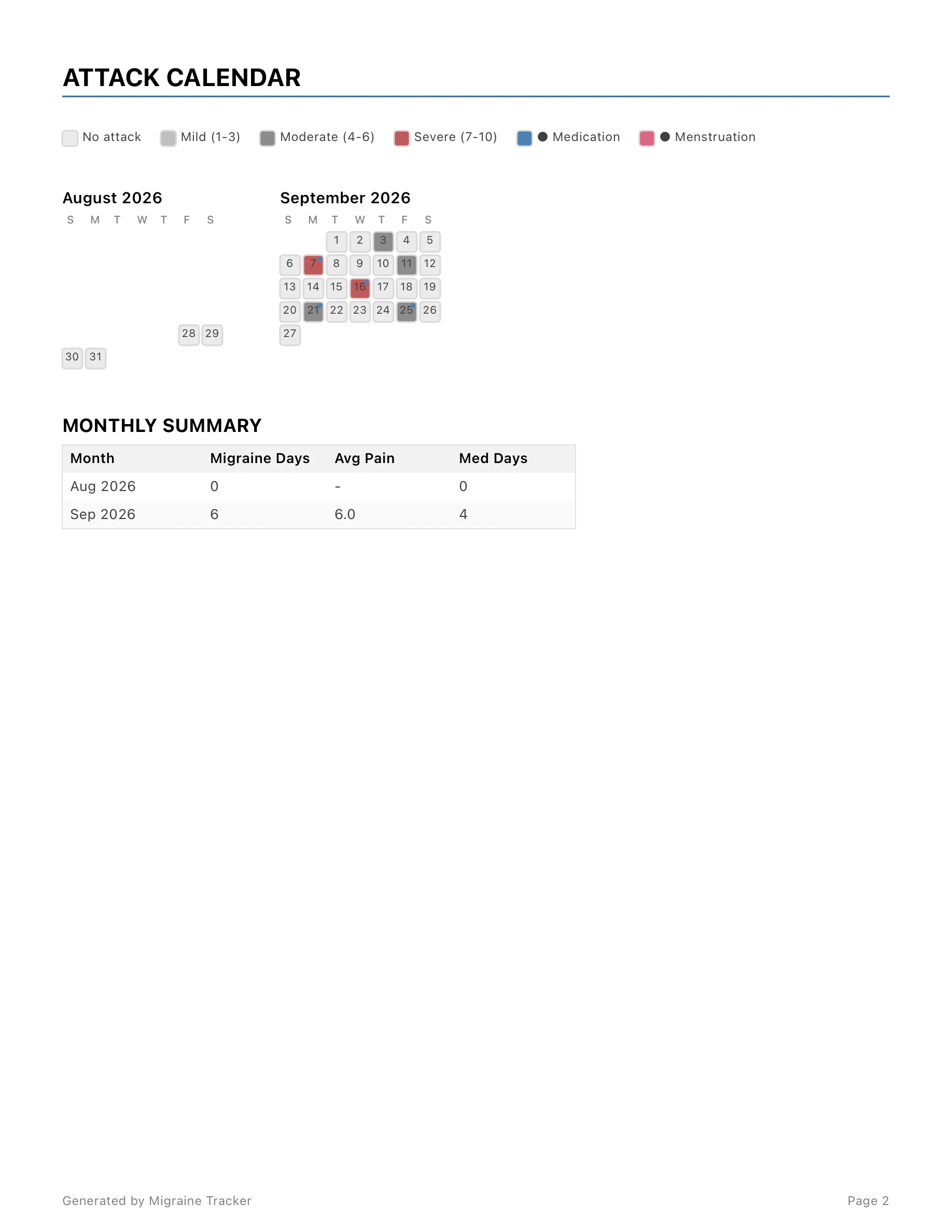
Record attack information and check an ongoing attack with the Apple Watch companion.
Meet the Watch appSee elapsed time and your latest medication log in an ongoing attack’s Live Activity.
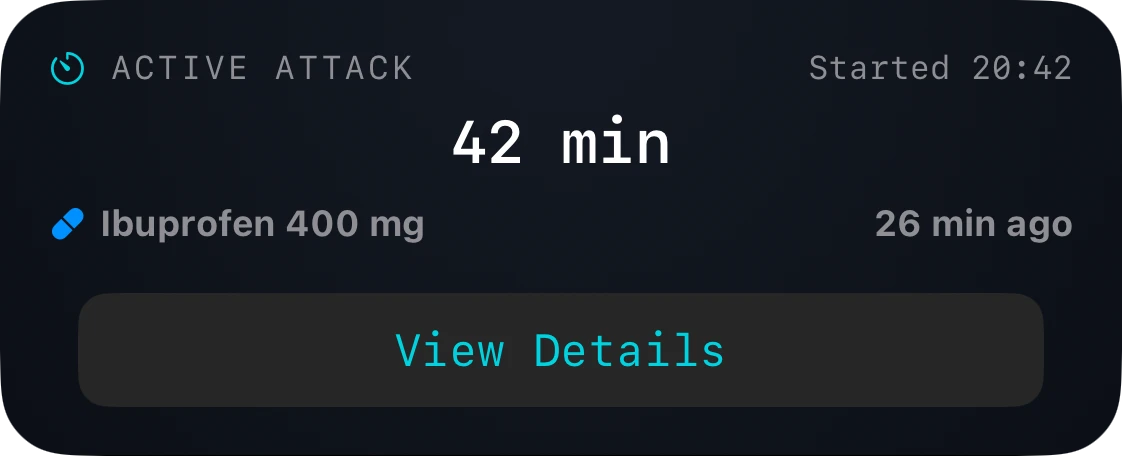
Screens shown with sample data. Some features require Premium.
Follow the real screens from your recorded history to a PDF, then see what each page contains.
Print a one-month diary on A4 or US Letter, see a filled-in example and count the days for your appointment.
Count days, not attacks. See when days count as chronic migraine and what the app’s numbers include.
Record an attack’s start and end time, pain intensity and location, symptoms, suspected triggers, medications and notes. You can also add or edit past attacks in the calendar.
The app is free to download, with in-app purchases. Premium includes extended reports, PDF exports, the Apple Watch companion, Live Activities and other features. See the App Store and the in-app purchase screen for current plans and pricing.
Yes. Premium lets you generate a PDF report with recorded headache days, acute medication days, average pain, a calendar and monthly summaries. You can also export attack data as CSV or JSON. A sample PDF is available on this website.
The Premium Apple Watch companion lets you record attack information and view an active attack. The Premium sleep card uses Apple Health with your permission, when sleep data is available.
Recorded patterns can give you something concrete to discuss with a clinician. They do not establish a cause, diagnose migraine or predict your next attack. Migraine Tracker is a record-keeping tool, not a substitute for medical care.
Migraine Tracker is available for iPhone and Apple Watch. There is currently no Android version. Check the App Store listing for device and operating system requirements.
Keep your migraine history close at hand.

 For iPhone & Apple Watch